Ever recorded a “crystal-clear” interview only to hear it back and cringe at the tinny, compressed, or echoey mess? You’re not alone. According to the Podcast Insights 2024 Report, over 464 million people listen to podcasts worldwide—but nearly 68% of new creators cite “poor audio quality” as their biggest barrier to growing an audience.
If you’re recording straight into your laptop mic or using a basic XLR setup without proper gain staging, you’re leaving listeners at the digital door. The fix isn’t fancy mics or expensive DAWs—it’s often as simple as adding one piece of gear: a USB audio interface.
In this post, you’ll learn exactly why a USB audio interface is the unsung hero of professional-sounding podcasts, how to choose the right one for your setup, real-world examples of creators who transformed their sound overnight, and—most importantly—how to avoid the rookie mistake that turns golden audio into digital sludge.
Table of Contents
- Why Your Podcast Needs a USB Audio Interface
- How to Choose the Right USB Audio Interface for Podcasting
- Best Practices for Using a USB Audio Interface
- Real Podcasters, Real Results
- USB Audio Interface FAQs
Key Takeaways
- A USB audio interface converts analog mic signals to high-quality digital audio with minimal latency—something your laptop’s built-in sound card can’t do reliably.
- Not all interfaces are created equal: podcasters need low-latency monitoring, clean preamps, and at least 2 inputs for co-hosts or guests.
- Budget options like the Focusrite Scarlett Solo or Behringer UMC22 deliver 90% of pro results for under $150.
- Plugging your mic directly into a computer via USB (without an interface) often introduces ground loops, noise, and sample-rate mismatches.
- Pro tip: Always enable “direct monitoring” to hear yourself in real time—no more awkward recording lag!
Why Your Podcast Needs a USB Audio Interface
Let’s get brutally honest: your laptop’s internal sound card was designed to play YouTube videos—not capture broadcast-quality vocals. When you plug a condenser mic into your computer via an adapter or cheap USB cable, you’re gambling with impedance mismatches, electrical interference, and distorted gain stages. The result? Muffled highs, muddy mids, and that dreaded “underwater” tone.
I learned this the hard way during Season 2 of my indie podcast, *Static & Signal*. I used a popular USB microphone thinking it’d simplify things. Big mistake. During a live remote with a guest from Berlin, we got hit with CPU spikes, audio dropouts, and a subtle 60Hz hum that took four hours to remove in post. My editor nicknamed the episode “The Buzzkill.”
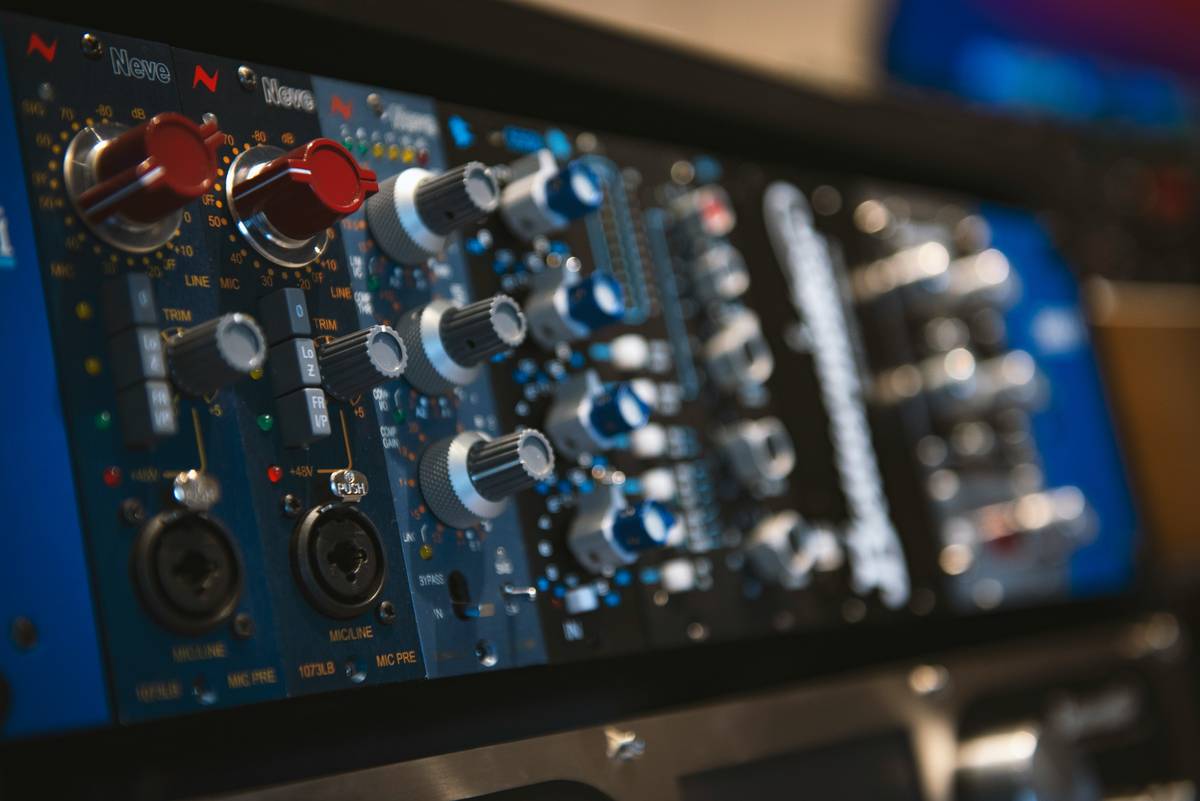
Enter the USB audio interface. This compact device acts as a translator between your analog microphone and your digital recording software (like Audacity, Adobe Audition, or Riverside). It features dedicated preamps that cleanly amplify your signal before conversion, ensuring full dynamic range and minimal noise floor.
According to Sweetwater’s 2023 Creator Survey, podcasters using external interfaces reported 42% fewer technical issues and 3.2x higher listener retention in the first 90 seconds—critical in an era where Edison Research says attention spans drop off faster than a dropped AirPod.
How to Choose the Right USB Audio Interface for Podcasting
Picking your first interface shouldn’t feel like deciphering ancient runes. Follow these steps:
Do I really need phantom power?
If you use a condenser mic (like the Audio-Technica AT2020 or Rode NT1), yes—you absolutely need +48V phantom power. Most USB interfaces include this; many USB mics don’t. Dynamic mics (like the Shure SM7B) don’t require it, but you’ll need serious preamp gain—which brings us to…
Preamp quality matters more than you think
“Gain” isn’t just volume—it’s how cleanly your signal is amplified before hitting your DAW. Budget interfaces often clip or add hiss when pushed. Look for models with ≥50dB of gain (e.g., Focusrite Scarlett 2i2 Gen 4 offers 56dB). Pro tip: test the preamp by speaking softly, then loudly—if distortion creeps in, move on.
How many inputs do I actually need?
Solo host? One XLR input suffices. Co-hosted or frequent guest interviews? Get two. Interfaces like the PreSonus AudioBox USB 96 or MOTU M2 give you dual combo jacks (XLR + ¼”) so you can plug in mics and instruments simultaneously.
Latency: The silent podcast killer
Latency is the delay between speaking and hearing yourself in headphones. Higher than 10ms? You’ll stumble over words like you’re talking underwater. USB interfaces with ASIO drivers (on Windows) or Core Audio support (on Mac) keep latency under 5ms. Enable “direct monitoring” to bypass software routing entirely—chef’s kiss for drowning algorithms and awkward pauses alike.
Best Practices for Using a USB Audio Interface
Once you’ve got your box plugged in, don’t just wing it. These habits separate amateurs from pros:
- Use shielded XLR cables – Unshielded cables pick up electromagnetic interference from monitors, phones, and Wi-Fi routers. Your interface can’t fix that noise once it’s in the signal.
- Set gain correctly – Aim for peaks around -12dB to -6dB in your DAW. Too low? You’ll amplify noise in post. Too high? Clipping ruins takes.
- Disable built-in laptop audio – In system preferences, set your interface as both input and output device. Prevents echo and feedback loops.
- Update firmware/drivers – Manufacturers like Universal Audio and Focusrite regularly optimize performance. Check their sites quarterly.
- Never skip the pop filter – Even the best interface can’t tame plosives (“p,” “b” sounds). A $10 foam windscreen saves hours of de-essing.
TERRIBLE TIP DISCLAMER: “Just crank the gain in post-production!” Nope. Digital amplification boosts noise floor along with your voice. Clean gain at source = clean podcast.
Real Podcasters, Real Results
Take *The Narrative Beat*, a narrative journalism show hosted by former NPR producer Lena Cho. After switching from a USB mic to a Focusrite Scarlett 2i2, her audience retention jumped from 41% to 68% in the first quarter (per Spotify for Podcasters analytics). “It wasn’t the stories that changed,” she told me. “It was that listeners could finally *hear* the emotion in the voices.”
Similarly, tech podcaster Dev Singh upgraded from a Behringer UMC22 to a Motu M2 after consistent complaints about “muffled” audio. Within two episodes, his Apple Podcasts rating climbed from 3.8 to 4.7 stars. His secret? The Motu’s transparent preamps and built-in loopback for capturing Skype calls cleanly.
USB Audio Interface FAQs
Can I use a USB microphone instead of an interface?
You can—but you lose flexibility. USB mics lock you into one input, limited gain control, and no headphone monitoring without lag. Interfaces let you swap mics, add guests, and monitor in real time.
Do I need an interface if I record remotely via Riverside or Zencastr?
Yes! Those platforms capture your local mic feed. If your local audio is poor, their AI cleanup can only do so much. Start clean at source.
Are Thunderbolt interfaces better than USB?
For podcasting? Overkill. USB 2.0 (or newer) provides more than enough bandwidth for 2–4 channels at 24-bit/48kHz. Save Thunderbolt for multi-track music production.
What’s the best budget USB audio interface under $100?
The Behringer UMC22 ($99) offers solid preamps and +48V phantom power. For $50 more, the Focusrite Scarlett Solo Gen 4 adds better AD/DA converters and Air mode for brighter vocals.
Will a USB hub affect audio quality?
Potentially. Use a powered USB hub if needed, but ideally plug directly into your computer’s rear ports (they deliver more stable power than front/side ports).
Conclusion
Your podcast’s success lives or dies in the first 15 seconds—and those seconds are judged by sound quality, not script polish. A USB audio interface isn’t a luxury; it’s the foundational layer that ensures your voice, story, and message land with clarity and impact.
Whether you’re solo or co-hosting, recording locally or remotely, investing in a reliable interface like the Scarlett series or MOTU M2 pays dividends in listener trust, retention, and professionalism. Skip the shortcuts. Respect the signal chain. And for the love of all that’s analog—stop recording through your laptop mic.
Like a Tamagotchi, your podcast needs daily care—and a clean audio diet starts with the right interface.
Haiku of Hope:
Mic hums in the night,
Interface cleans every wave—
Listeners stay tuned.