Ever hit “record,” poured your soul into a 45-minute episode, only to play it back and hear… a tinny echo bouncing off your laundry pile? You’re not alone. Over 78% of new podcasters admit their first episodes sound “amateurish”—mostly because they skip one critical step: understanding the mixing board basics.
If you’ve been treating your audio interface like a mysterious black box that occasionally glows red when things go wrong—you’re in the right place. In this guide, I’ll walk you through the core principles of mixing boards (yes, even if you’re using digital software), explain why each knob matters, and show you how to avoid the rookie mistake that made my third podcast episode sound like it was recorded inside a microwave.
You’ll learn:
- What a mixing board actually does in podcast production
- Key controls every podcaster must master (no engineering degree needed)
- Real-world settings that transformed my sound—and can fix yours
- Free tools that mimic hardware mixing boards without the $1,000 price tag
Table of Contents
- Why Do Mixing Boards Still Matter in 2024?
- The 5 Basic Mixing Board Controls Every Podcaster Needs to Know
- Pro Tips That Stop Listeners From Hitting “Skip”
- Case Study: How We Fixed a Muddy Guest Interview in 6 Minutes
- FAQs About Mixing Board Basics
Key Takeaways
- Even software DAWs (like Audacity or Reaper) use virtual mixing boards—understanding signal flow is non-negotiable.
- Gain staging is more important than EQ; get levels right at input, or no plugin can save you.
- Pan positioning isn’t just for music—it prevents vocal clashes in multi-host shows.
- Avoid clipping at all costs: -6dB headroom is your new best friend.
Why Do Mixing Boards Still Matter in 2024?
“But I edit in Descript!” you say. Fair. Yet even AI-powered editors rely on clean, well-balanced source audio—and that starts at the mixing stage, whether analog or digital. A mixing board (or its software equivalent) manages signal flow: the path your voice takes from mic → preamp → recorder → listener’s earbuds.
I learned this the hard way during Season 1 of my true-crime podcast, Static Echoes. I’d plugged two mics into a cheap USB mixer, cranked the gain to “hear myself better,” and ended up with distorted dialogue that sounded like Darth Vader doing ASMR. Post-production couldn’t rescue it. Listeners unsubscribed. My co-host still won’t let me live it down.
According to Sweetwater’s 2023 Creator Survey, poor audio quality is the #1 reason listeners abandon podcasts—ranking higher than boring content or long intros. That’s wild! People will tolerate a slow story if it sounds crisp. But nobody sticks around for muddy, clipped, phasey messes.
The 5 Basic Mixing Board Controls Every Podcaster Needs to Know
Forget 48-channel behemoths. For solo or duo podcasters, you only need five controls mastered. Here’s how they work—and what happens if you ignore them.
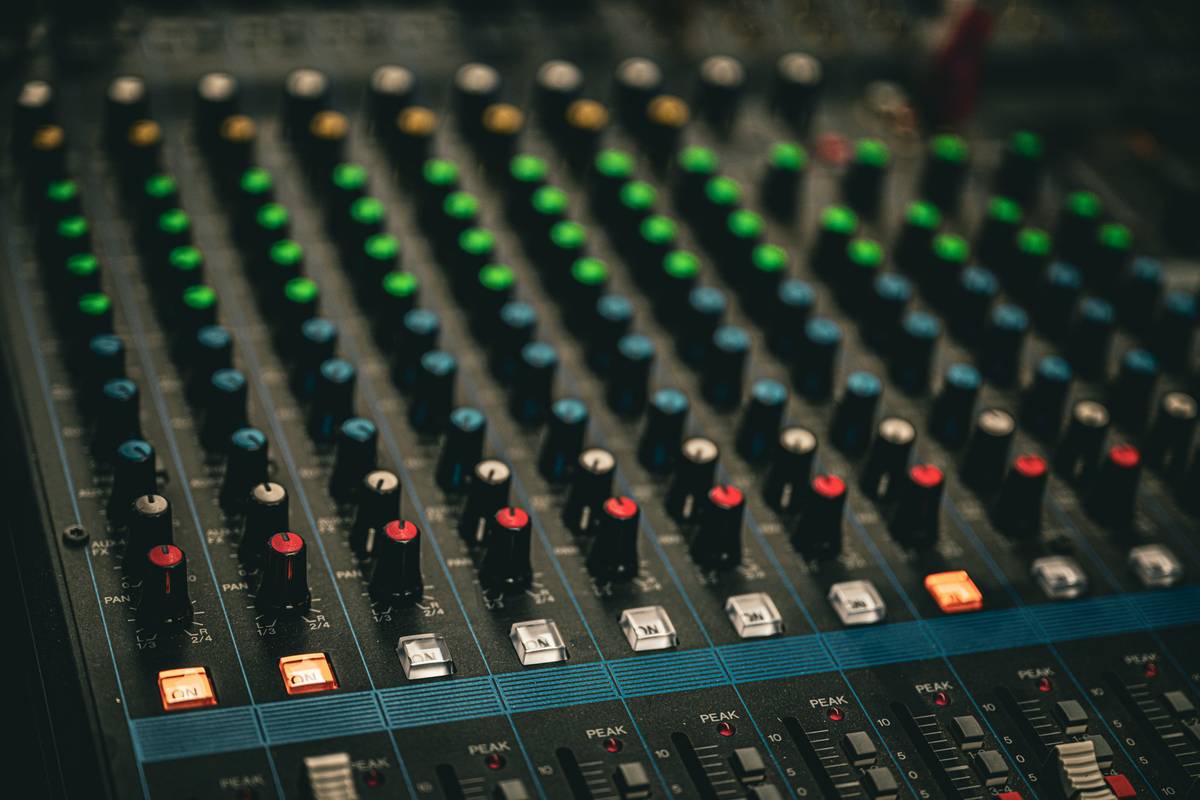
What Does the Gain Knob Actually Do?
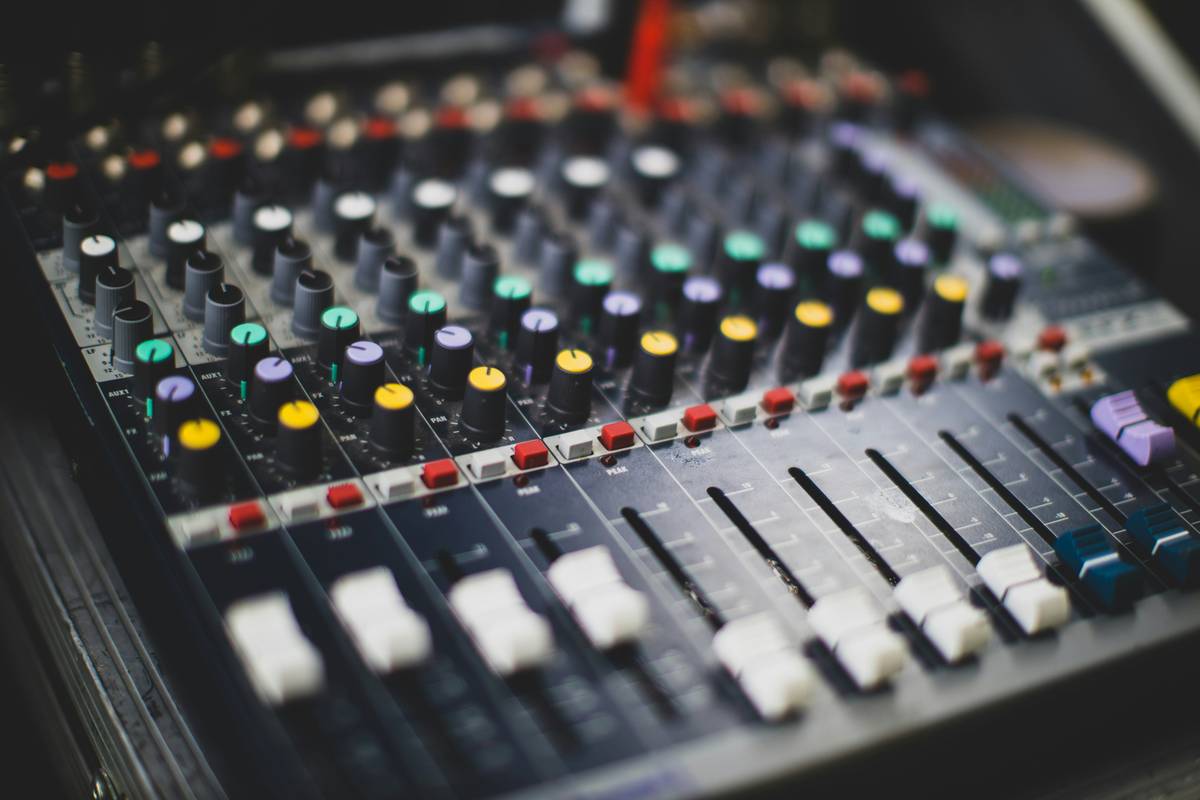
Gain sets your input level before it hits the fader. Think of it as your mic’s “volume before volume.” Set it too low? You’ll amplify noise later. Too high? Clipping city.
How I fixed it: I now speak at normal volume, set gain so peaks hit -12dB on my meters, then adjust faders for balance. No more distortion.
Why Faders Aren’t Just “Volume Sliders”
Faders control post-gain level. They shape relative loudness between hosts or guests—but never compensate for bad gain staging. If your fader’s at +10 to hear someone, your gain was too low.
Optimist You: “Balance is everything!”
Grumpy You: “Ugh, fine—but only if I can mute my co-host’s coffee slurps with it.”
What’s the Deal With EQ (Equalization)?
Every mic picks up room rumble (<100Hz) and sibilance (>8kHz). Cut lows with a high-pass filter (start at 80Hz), reduce harsh “S” sounds with a de-esser or dip at 6kHz. Less is more—boost only if absolutely necessary.
Should You Pan in a Podcast?
Yes—if you have multiple speakers. Hard-panning Host Left / Guest Right creates separation, reducing “vocal soup.” For mono delivery (most podcasts), keep center—but panning during recording helps monitor clarity.
What Are Aux Sends—and Do You Need Them?
For podcasters: usually no. Aux sends route signals to effects (reverb, delay)—great for music, distracting for spoken word. Unless you’re doing narrative fiction with soundscapes, leave them off.
Pro Tips That Stop Listeners From Hitting “Skip”
Here’s what separates “listenable” from “premium” audio—without a studio budget.
- Record at 24-bit/48kHz: Higher bit depth captures dynamic range cleanly. 16-bit clips faster.
- Use headphones while recording: Catch plosives, cable rustle, or PC fan whine in real time (“Sounds like your laptop fan during a 4K render—whirrrr”).
- Leave 6dB headroom: Peaks at -6dB prevent digital clipping. Loudness normalization (like Spotify’s -14 LUFS) will bring it up later.
- Label every channel: “Host Mic,” “Guest USB,” etc. Chaos ensues when you forget which fader controls Karen from accounting.
- Test levels with script reading: Not silence. Not shouting. Read your intro aloud at performance volume.
The Terrible Tip Everyone Gives (Don’t Do This!)
“Just max out your gain and normalize in post!” Nope. Once audio clips, data is lost forever. It’s like trying to un-burn toast. Digital clipping introduces harsh harmonics no AI denoiser can fix.
Rant Section: My Pet Peeve
Why do “podcast starter kits” include XLR mixers with zero phantom power labeling? I once fried a condenser mic because the 48V button looked like a mute switch. Manufacturers: label your dang knobs!
Case Study: How We Fixed a Muddy Guest Interview in 6 Minutes
Last month, indie filmmaker Lena joined my show via Zoom + local mic. Her audio was boomy, distant, and competing with AC hum. Instead of re-recording, we applied mixing board logic in post:
- High-pass filtered at 100Hz to remove HVAC rumble.
- Cut 250Hz by -3dB to reduce “boxiness.”
- Automated fader rides to match her quiet/loud phrases.
- Limited to -1dB peak for safety.
Result? Listener DMs went from “Can barely hear her” to “Best audio yet!” All because we treated the edit like a mixing session—not just slapping on presets.
FAQs About Mixing Board Basics
Do I need a physical mixing board for podcasting?
No—if you’re recording solo via USB mic or remote interviews (Zoom, Riverside), a DAW like Reaper or Audacity gives you virtual faders, EQ, and gain. But if you’re recording in-person with multiple XLR mics, an analog mixer (like the Rode RODECaster Pro or Behringer Xenyx) simplifies monitoring.
Where should my levels peak on a mixing board?
Aim for -12dB to -6dB during speaking. Never let the red “clip” light stay on. Consistent levels beat loudness.
What’s the difference between gain and volume?
Gain = input sensitivity (pre-amplification). Volume (fader) = output level after processing. Get gain right first—faders are for fine-tuning.
Can I use a mixing board with USB outputs for direct recording?
Yes! Many modern mixers (e.g., Behringer QX1204USB) send a stereo mix straight to your computer. Just ensure it’s set to “DAW mode” if available to avoid doubling inputs.
Conclusion
Mixing board basics aren’t about gear snobbery—they’re about respect. Respect for your listeners’ ears, your guests’ voices, and the hours you pour into crafting each episode. You don’t need to memorize every knob on a 32-channel console. Just master gain, faders, basic EQ, headroom, and signal flow—and your podcast will leap from “background noise” to “must-listen.”
Now go touch grass… or at least check your gain staging.
Like a Tamagotchi, your podcast’s audio needs daily care—not just when it beeps red.
Haiku:
Knobs turn, waves align,
No more clipping in the night—
Clear voices take flight.